 ServSmith
Your service pro,
one tap away.
ServSmith is the app your plumber, electrician, HVAC pro, or other trusted service professional hands you. Request work, follow every job from start to finish, and pay your invoice — all in one place.
Your pro brings you in. There's nothing to search for.
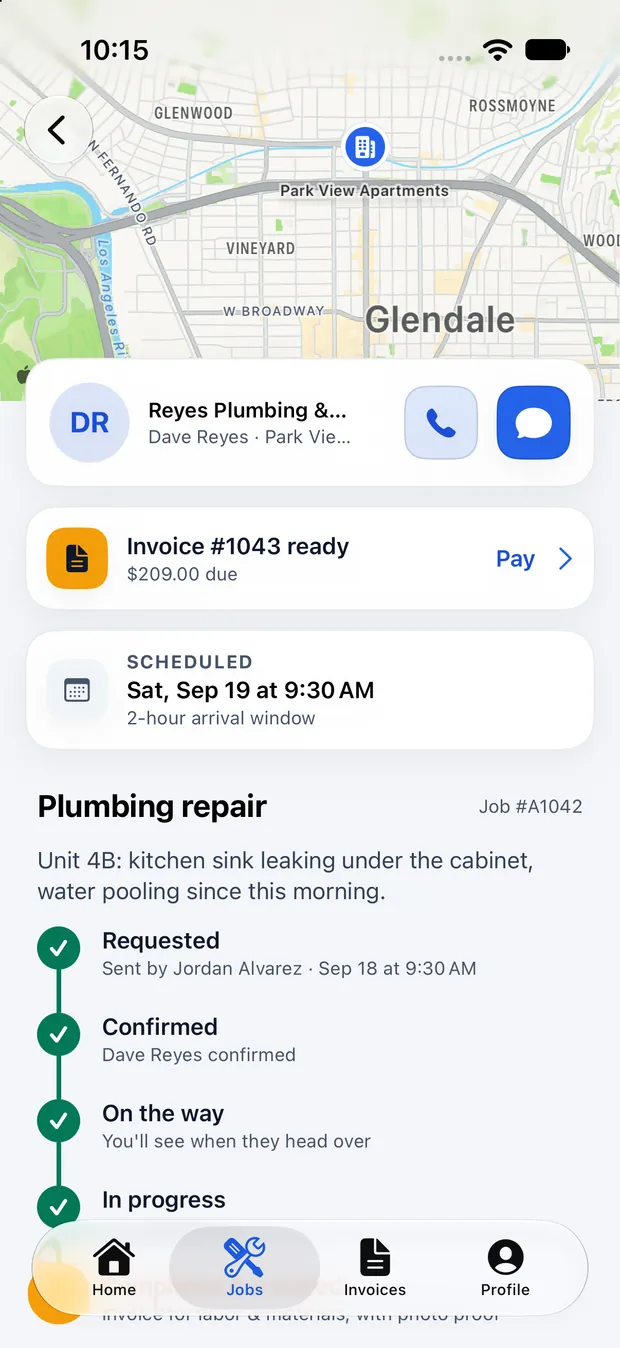
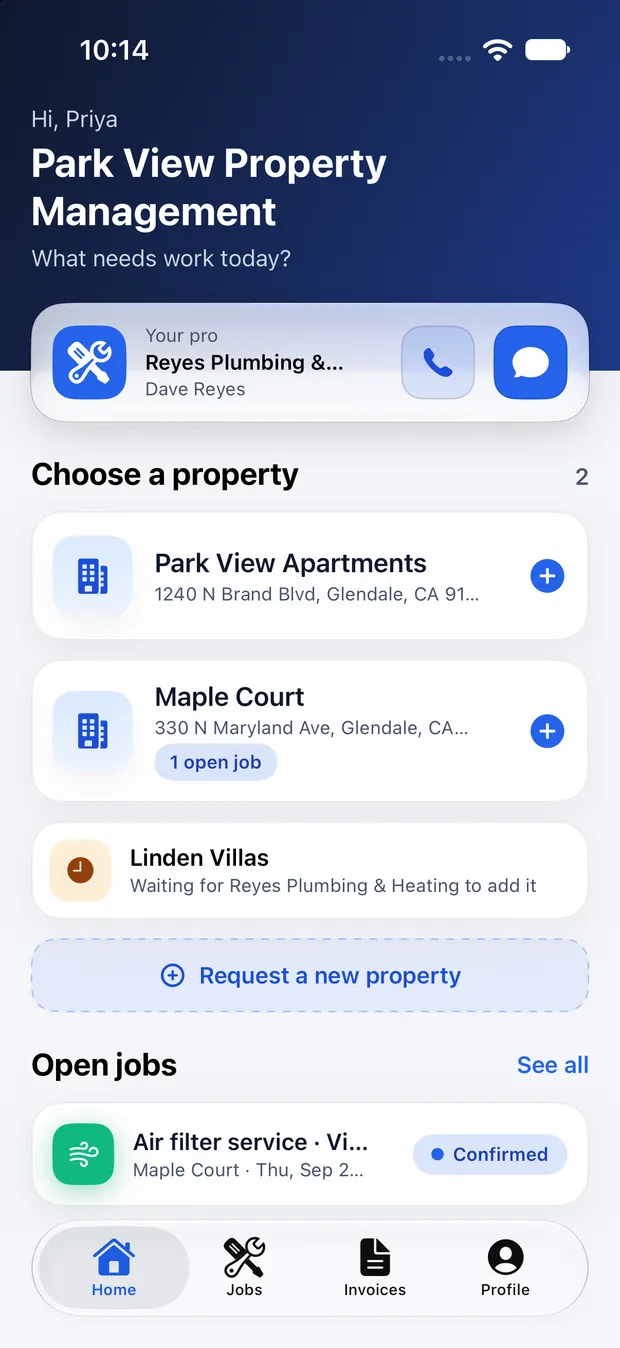
Everything after the handshake.
Your pro already knows your property, your gate code, and what broke last winter. ServSmith is where that relationship lives — requests, arrival windows, photos, invoices, and payments, all in one place instead of scattered across texts, voicemails, and paper.
Your properties. Already set up.
Your pro adds your home or buildings, so there's nothing to configure and no address to type. Open ServSmith, choose your property, and you're one tap away from requesting service.
Managing a portfolio? Your staff get their own logins under one account, and every request says who sent it.
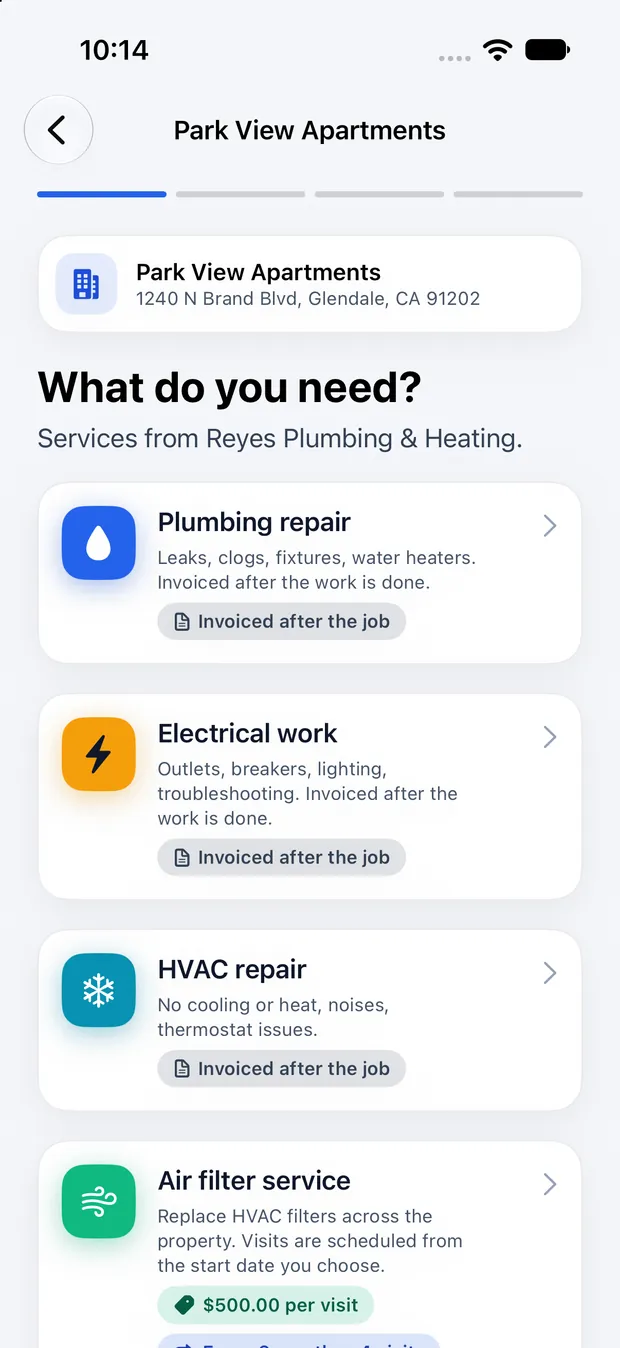
Say what you need in three taps.
See the services your pro actually offers, with the pricing and payment options they choose. Add a note, suggest a time, and send the request. Your pro can confirm it or suggest another time.
No phone tag. No back-and-forth just to schedule a visit.
Know what's happening from start to finish.
Requested. Confirmed. On the way. In progress. Done.
See the arrival window up front, get notified when your pro is headed your way, and receive before-and-after photos when the work is complete.
If the schedule changes, either side can propose a new time. No phone tag.
Pay your way.
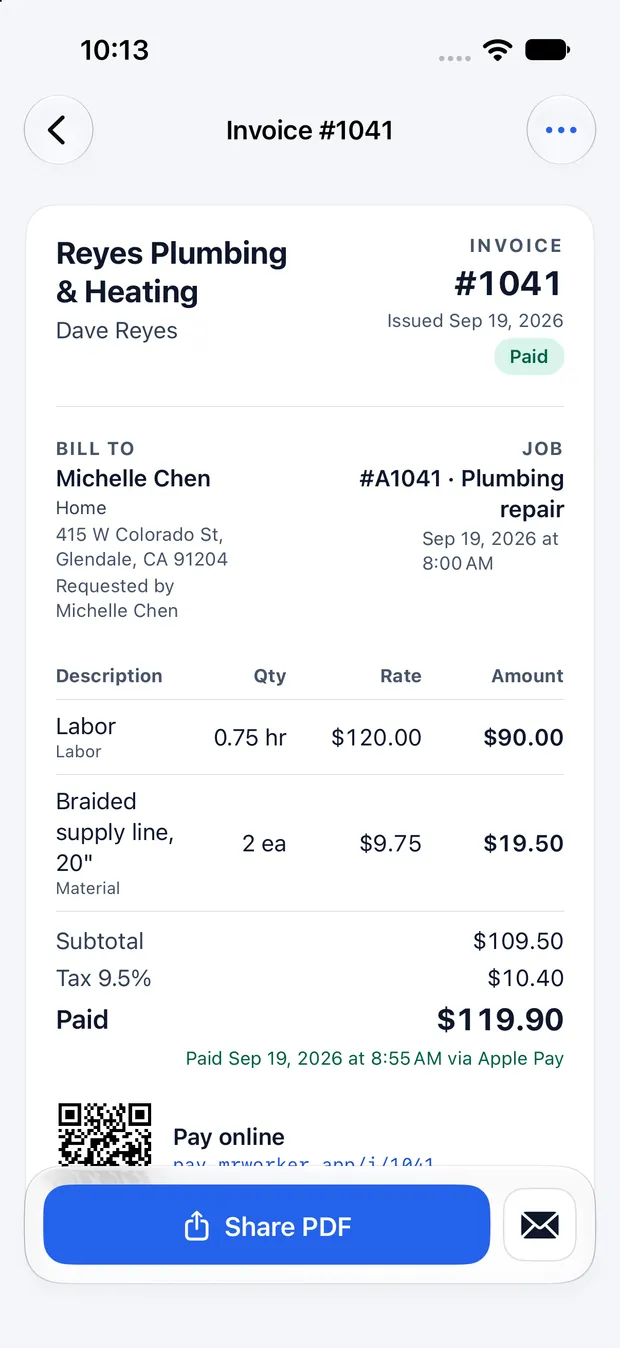
Pay however your service professional accepts payment — Apple Pay, card, Zelle, check, or cash.
Every invoice clearly shows labor and materials, and every payment comes with a receipt.
Paying offline? Tell the app you mailed the check; your pro confirms it when it clears.
Your pro invites you. That's it.
There's no sign-up page to find and no directory to browse. Your service professional invites you directly.
Your pro sends an invite
A link by text or email, or a six-character code they can read to you over the phone.
You sign in once
Sign in with Apple or Google and you land connected to that pro, with your properties already there.
Everything runs in one place
Requests, times, photos, invoices and receipts — for as long as you work together.
Your clients. Not a marketplace.
ServSmith isn't a lead service. Nobody bids against you, nobody takes a cut, and no stranger can find you in the app.
You invite the clients you already serve, and everything after that runs in one app.
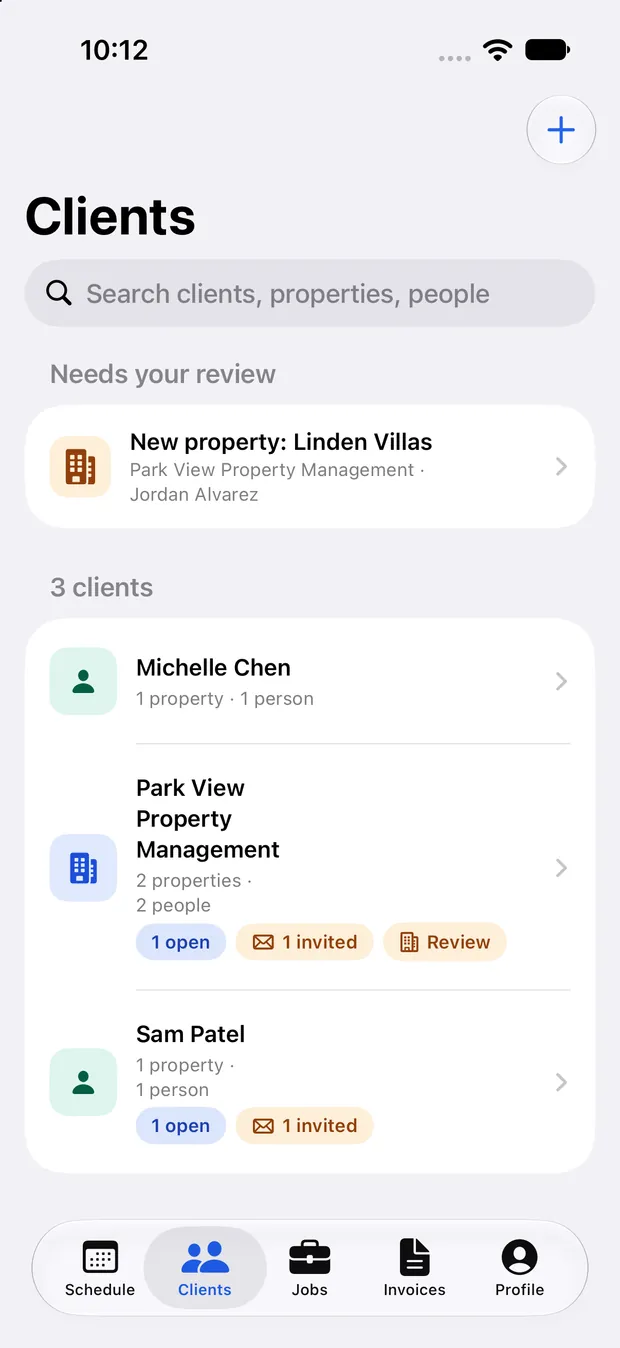
Invite clients in seconds.
Send a link from your own phone, or hand over a code. Single-use, and it expires.
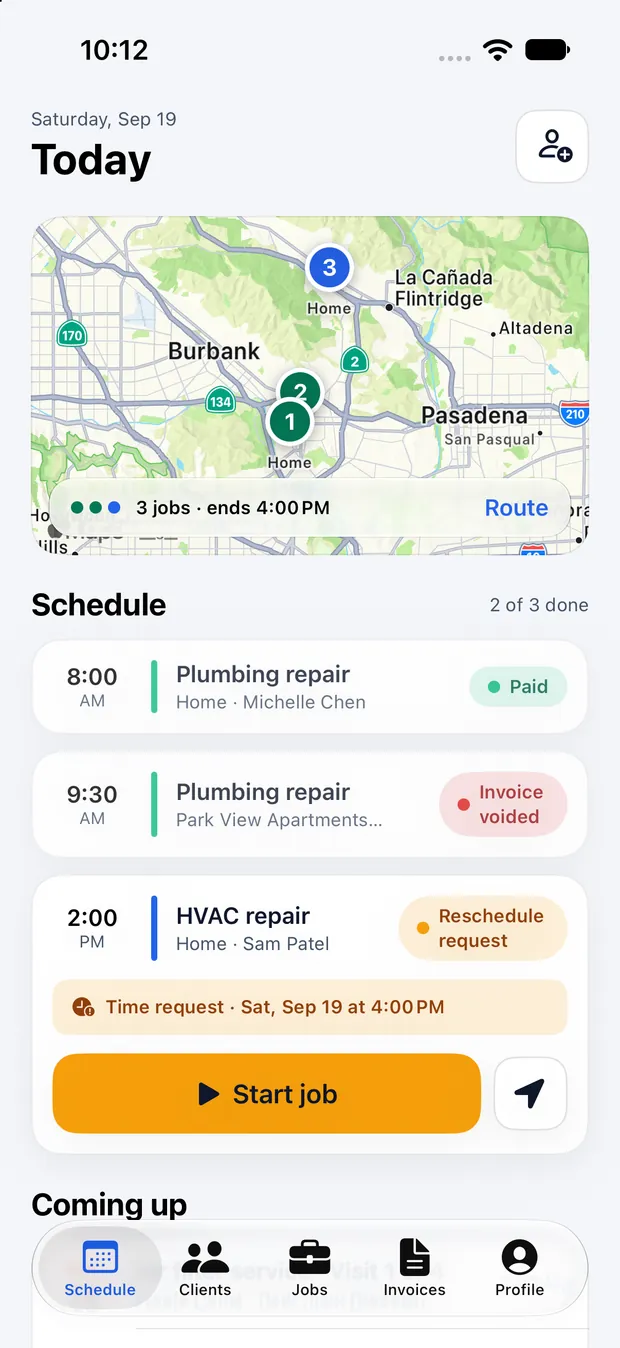
Your day. One screen.
See your route, your stops, and what each job still needs — from the first request through the invoice.
Invoice from the driveway.
Labor, materials, optional tax, photo proof attached. Void and reissue when a charge changes.
Get paid your way.
Card, Apple Pay, Zelle, check or cash — set per client. Offline payments aren't marked paid until you say so.
Coming soon to the App Store.
ServSmith is finished and in testing, waiting on Apple review. Tell us where to reach you and we'll send you one email when it goes live — nothing else, ever.
iPhone · iOS 26.5 or later · Already have an invite from your pro? Ask them for the link.